
How to Track Expenses by Scanning Receipts: A Simple Daily Routine
Learn how to track expenses by scanning receipts using a simple capture-review-confirm routine that saves time, cuts manual typing, and keeps your budget accurate.

Keeping track of daily spending is one of the most effective ways to manage a budget, but saving paper receipts often creates more clutter than clarity. Wallets fill up with crumpled paper, restaurant receipts fade in car cup holders, and typing every store purchase line-by-line into a spreadsheet quickly leads to admin fatigue. Learning how to track expenses by scanning receipts transforms this tedious chore into a fast, reliable habit.
Instead of manually entering vendor names, transaction dates, tax, and totals, modern mobile receipt scanning allows you to snap a photo and let intelligent tools extract the details into a ready-to-use draft. By following a structured routine, you maintain full control over your money while eliminating hours of manual data entry.
Why Scanning Receipts Is the Smartest Way to Track Expenses
Manual expense logging relies on willpower. When you return home after a busy day, sitting down to type out receipts for groceries, gas, coffee, and office supplies feels like a second job. As a result, transactions get delayed, receipts go missing, and budget reports become inaccurate.
The Downside of Manual Data Entry
- High Friction: Manually typing every transaction field takes between 30 and 60 seconds per item, leading to batching procrastination.
- Human Error: Misplacing a decimal point or selecting the wrong account distorts monthly totals.
- Lost Records: Thermal paper receipts degrade rapidly, often turning blank before tax season or expense reimbursement deadlines.
How Scanning Simplifies Your Financial Habits
When you scan receipts, technology takes over the repetitive task of reading and structuring text. A mobile scanner captures the merchant name, transaction date, category, and total amount instantly. Rather than starting from a blank screen, you simply review a pre-filled draft. This shift reduces logging time to just a few seconds per transaction, making daily tracking effortless.
The Core Workflow: Capture, Review, and Confirm
To keep your personal or small business accounts accurate, receipt scanning should rely on a dependable three-step workflow: Capture — Review — Confirm. This routine leverages automation for speed while retaining human verification for total financial control.

Step 1: Capture at the Point of Purchase
The moment you receive a printed paper receipt or an electronic invoice, open your tracking tool and capture the document. For paper receipts, snap a quick photo using your phone camera under good lighting. For digital purchases, upload a screenshot or import the PDF document. Capturing receipts immediately prevents paper loss and ensures maximum legibility before thermal ink fades.
Step 2: Review the AI-Generated Draft
Once captured, an intelligent processing engine analyzes the image layout, recognizes printed characters, and structures the transaction details into specific input fields:
- Merchant / Vendor Name (e.g., Supermarket, Gas Station, Coffee Shop)
- Date and Time
- Total Amount Paid
- Expense Category (e.g., Groceries, Transport, Dining Out)
- Payment Account or Method
Instead of entering data manually, you are presented with a ready-to-review draft. AI acts as a helpful administrative assistant, organizing raw visual data into structured categories.
Step 3: Confirm and Commit to Your Ledger
Before saving the entry to your budget or balance sheet, take two seconds to inspect the pre-filled fields. Verify that the final sum matches your receipt total, adjust the expense category if an ambiguous purchase occurred, and tap Confirm. This final human sign-off ensures complete ledger accuracy while avoiding autonomous system mistakes.
Technology Shift: Traditional OCR vs. AI Receipt Scanning
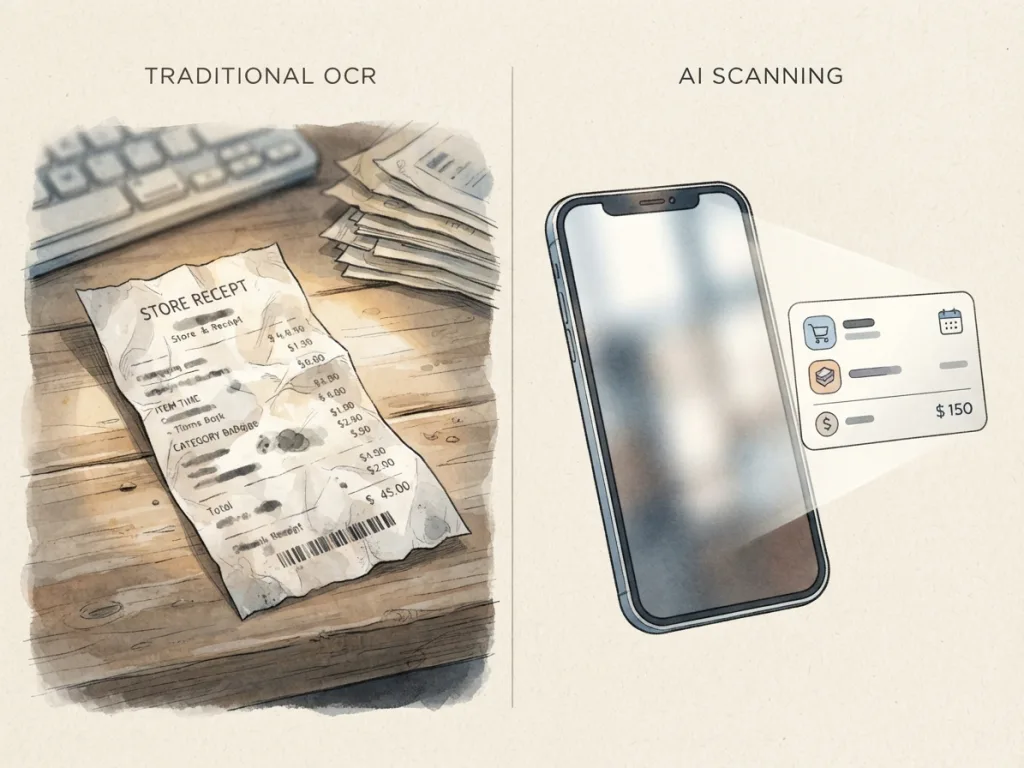
Understanding how receipt scanning technology has evolved helps set realistic expectations for your workflow. Earlier expense software relied on basic Optical Character Recognition (OCR), whereas modern solutions utilize context-aware artificial intelligence.
How Modern Layout Analysis Works
Traditional OCR looked for rigid, template-based text positions. If a merchant printed the transaction date at the bottom instead of the top, or used an unusual font, traditional systems frequently failed or misplaced numbers. Modern AI receipt scanners analyze layout geometry and natural language context, allowing them to accurately interpret non-standard merchant receipts, itemized line items, and dynamic column layouts.
Feature Comparison Matrix
| Feature / Benefit | Manual Data Entry | Legacy OCR App | Modern AI Receipt Scanner |
|---|---|---|---|
| Speed per Entry | 30–60 seconds | 10–20 seconds | 3–5 seconds |
| Typing Required | 100% of fields | Moderate (fixing misread text) | Minimal (quick verification) |
| Categorization | Manual selection | Exact word rules | Context-aware suggestion |
| Layout Tolerance | Not applicable | Rigid templates only | Dynamic & non-standard formats |
| User Oversight | Full manual control | High effort corrections | Streamlined Capture-Review-Confirm |
Solving Common Receipt Quality Problems
While computer vision technology is advanced, scanner performance depends on visual clarity. Being aware of physical receipt challenges allows you to prevent document reading errors.
Faded Thermal Paper and Long-Term Readability
Most retail stores print on heat-sensitive thermal paper. Thermal coatings naturally degrade when exposed to sunlight, UV rays, or heat, often fading completely within 6 to 12 months. Scanning thermal paper immediately after purchase creates a permanent digital copy before the original paper loses contrast.
Lighting, Wrinkles, and Handwritten Tips
Physical damage and poor environmental conditions are the most common causes of scanning errors. Follow these practical fixes to maintain high image readability:
- Wrinkles & Creases: Flatten folded paper against a dark, flat surface prior to shooting. Creases across numeric totals can cause missing digits.
- Heavy Shadows: Avoid casting your phone’s shadow over the receipt text. Use overhead ambient light or turn on your device camera flash.
- Long Receipts: For lengthy grocery or hardware store receipts, ensure the top merchant header and the bottom payment total are clearly captured within the frame.
- Handwritten Tips: When signing restaurant slips with handwritten tip additions, check the pre-filled total during your Review step to confirm the final adjusted amount.
Tax Acceptance and Digital Record Standards
A common concern among freelancers and households is whether digital scans hold up during tax evaluations or formal financial audits.
IRS Revenue Procedure 97-22 Guidelines
Under official guidance such as IRS Revenue Procedure 97-22, electronic and scanned records are legally recognized as valid substitutes for physical paper copies. Tax authorities accept digital documentation provided your scanning system maintains clear legibility, accurate reproduction, and immediate retrieval capabilities during audit requests.
The Five Essential Data Points for Audits
To qualify as valid tax documentation, every scanned receipt must clearly show five key pieces of information:
- Vendor Name: The identity of the seller or merchant.
- Transaction Date: When the purchase occurred.
- Total Amount: The final total paid, including applicable taxes.
- Items or Services Description: Clear proof of what was purchased.
- Payment Method: Evidence of how the purchase was settled (e.g., credit card, cash).
Note: Tax retention standards generally recommend keeping business expense records for 3 to 7 years. Storing clear digital backups prevents compliance risks caused by lost or faded physical documents.
Building a Frictionless Daily Routine
Integrating receipt scanning into your lifestyle works best when you establish a consistent, low-friction routine.
Immediate Capture vs. End-of-Day Sweeps
There are two effective operational styles for receipt management:
- Point-of-Sale Capture: Scan paper receipts at the register or in your parked car immediately after checkout. This takes five seconds and completely removes paper clutter from your wallet.
- End-of-Day Sweep: Place receipts in a designated tray during the day. Spend two minutes each evening reviewing, scanning, and confirming the batch before setting the paper aside.
Staying Organized Without Admin Friction
By pairing receipt scanning with flexible entry options, tracking your overall finances becomes effortless. For instant cash expenses or quick notes where no receipt is printed, combining receipt scans with natural language input gives you complete coverage over your personal budget.
If you want an easy, streamlined expense tracking experience, you can download MyMoney. Designed around the motto “Type it. Say it. Scan it. Done.”, MyMoney offers an AI Receipt Scanner alongside natural language AI Quick Entry and voice logging. Its offline-first architecture allows you to scan receipts anywhere without relying on active internet connections, building transaction drafts instantly while keeping you in full control through an easy review step.
Frequently Asked Questions
Are scanned receipts legally accepted for tax deductible expenses?
Yes. Major tax authorities, including the IRS under Revenue Procedure 97-22, accept legible digital scanned receipts as valid proof of purchase. The scan must clearly display the vendor name, transaction date, itemized purchase details, and total amount paid.
Does AI receipt scanning operate completely without human supervision?
No. Modern scanning tools build an editable draft from your receipt photo. To maintain accurate financial ledgers, you should always perform a quick two-second review to confirm categories and total figures before finalizing the entry.
What should I do if a thermal paper receipt is already faded?
If a thermal receipt has started fading, place it under direct light, flatten all creases, and use high camera contrast when taking the image. If certain numbers remain illegible, manually adjust those specific fields during the review step prior to saving.
Conclusion
Learning how to track expenses by scanning receipts bridges the gap between thorough financial record-keeping and a busy schedule. By adopting a straightforward Capture — Review — Confirm workflow, you eliminate manual typing, reduce human error, and build a organized digital record for your personal budget or business expenses. Start scanning your receipts today to enjoy effortless, organized money management without losing control over your financial data.